Introduction
Artificial intelligence has changed the way people work, create, and learn. Therefore, millions of users now rely on AI tools to save time and boost output. In addition, these tools are no longer just for tech experts. Today, beginners can easily access powerful AI for writing, design, research, and more.
However, with so many options available, it can be hard to know where to start. This guide breaks down the top 10 AI tools available today. For each tool, you will learn what it does best and who it suits most.
What Makes a Good AI Tool?
- Ease of use — Is the interface simple and beginner-friendly?
- Core function — Does it solve a specific problem you have?
- Cost — Is there a free plan or affordable pricing?
- Accuracy — Does it produce reliable and useful results?
- Support — Are tutorials or help resources available?
First, identify your main goal. Next, match that goal to a tool designed for it. This simple approach saves time and prevents frustration. Here below from inteidea
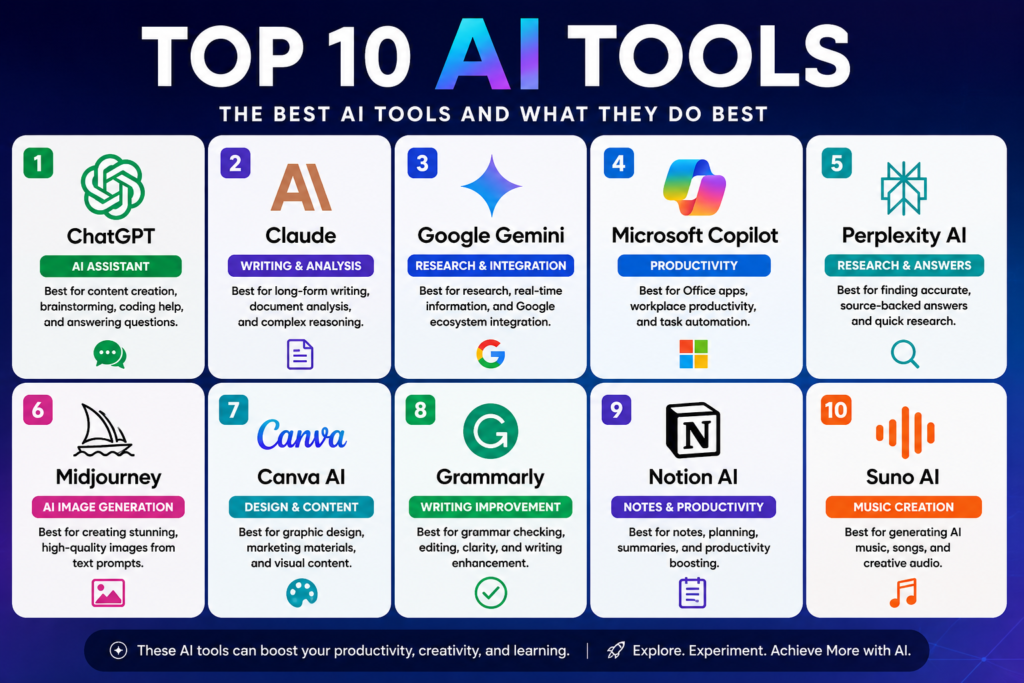
1. ChatGPT
- Overview: ChatGPT is one of the most popular artificial intelligence tools in the world. It is developed by OpenAI and uses large language models to generate text.
- Best for: General AI assistance, content creation, brainstorming, and answering questions.
- Ideal users: Students, writers, marketers, and general users.
Main strengths
- – Conversational and easy to use
- – Handles a wide range of topics
- – Available in free and paid versions
Practical example
A student can ask ChatGPT to explain a complex science topic in simple terms. The tool responds in seconds with a clear, easy-to-read answer.
2. Claude
Overview: Claude is an AI assistant built by Anthropic. It is known for its thoughtful, nuanced, and detailed responses.
Best for: Long-form writing, document analysis, and in-depth conversation.
Ideal users: Researchers, writers, and professionals handling large documents.
Main strengths
- Handles long text inputs well
- Produces coherent and well-structured writing
- Designed with safety and reliability in mind
Practical example
A researcher can upload a lengthy report and ask Claude to summarize the key findings. Claude returns a clear, accurate summary in moments.
3. Google Gemini
Overview: Google Gemini is Google’s flagship AI tool. It connects naturally with Google’s ecosystem of apps.
Best for: Research, real-time search, and Google Workspace integration.
Ideal users: Google users, business professionals, and students.
Main strengths
Practical example: A business professional can ask Gemini to draft a meeting summary directly inside Google Docs. The result is ready to share within seconds.
4. Microsoft Copilot
Overview: Microsoft Copilot is built into Microsoft 365 products. It brings AI directly into everyday workplace tools.
Best for: Office productivity, email drafting, and document creation.
Ideal users: Office workers, managers, and teams using Microsoft products.
Main strengths
- Works inside Word, Excel, PowerPoint, and Outlook
- Automates repetitive writing tasks
- Understands workplace context
Practical example
A manager can ask Copilot to turn bullet-point notes into a full Word report. The tool formats and writes the document automatically.
5. Perplexity AI
Overview: Perplexity AI is a research-focused AI tool. It provides answers backed by cited sources.
Best for: Research, fact-checking, and finding reliable information.
Ideal users: Students, journalists, and researchers.
Main strengths
- – Cites sources for every answer
- Combines search and AI in one tool
- Reduces the risk of misinformation
Practical example:
A journalist can ask Perplexity to find recent studies on climate change. The tool returns a clear answer with links to verified sources.
6. Midjourney
- Produces high-quality, artistic images
- Offers a wide range of visual styles
- Continuously improving with new model updates
Practical example:
A marketer can type “futuristic city skyline at sunset” and receive a professionally styled image within seconds.
7. Canva AI
Overview: Canva AI adds artificial intelligence features to the popular Canva design platform. It makes graphic design accessible to everyone.
Best for: Marketing graphics, social media posts, and presentations.
Ideal users: Small business owners, marketers, teachers, and students.
Main strengths:
- Drag-and-drop interface with AI suggestions
- Generates images and text inside designs
- Huge library of templates
Practical example
A small business owner can describe a promotional flyer and Canva AI generates a polished design ready for printing or posting online.
8. Grammarly
Overview: Grammarly is an AI-powered writing assistant. It checks grammar, tone, clarity, and style in real time.
Best for: Proofreading, writing improvement, and professional communication.
Ideal users: Students, professionals, non-native English speakers, and anyone who writes regularly.
Main strengths
- Detects grammar and spelling errors instantly
- Suggests tone adjustments for different audiences
- Works across browsers, email, and documents
Practical example:
A job applicant can run their cover letter through Grammarly. The tool catches errors and suggests clearer, more professional phrasing.
9. Notion AI
Overview: Notion AI is embedded inside the Notion productivity platform. It helps users write, organize, and plan more efficiently.
Best for: Notes, task management, project planning, and content drafting.
Ideal users Entrepreneurs, students, teams, and freelancers.
Main strengths
- – Summarizes and reorganizes notes automatically
- – Generates action plans from rough ideas
- – Integrates seamlessly with existing Notion workspaces
Practical example:
A freelancer can type rough project notes and ask Notion AI to turn them into a structured action plan with clear steps.
10. Suno AI
Overview: Suno AI is an emerging tool for AI music creation. It generates original songs from simple text descriptions.
Best for: Music creation, content background tracks, and creative projects.
Ideal users: Content creators, podcasters, teachers, and hobbyists.
Main strengths
- Creates full songs with vocals and instruments
- No musical training required
- Produces unique, original tracks each time
Practical example
A YouTuber can describe the mood of their video and Suno AI generates a custom background track that fits perfectly.
How to Choose the Right AI Tool
Choosing the right AI tool depends entirely on your specific goal. For example, a writer benefits most from ChatGPT or Grammarly. Meanwhile, a designer should explore Midjourney or Canva AI first.
Here are a few tips to guide your decision
1. Start simple. Choose one tool and learn it well before trying others.
2. Match the tool to the task. Each tool has a specialty area where it excels.
3. Use free trials. Most tools offer free plans to test before upgrading.
4. Check reviews. Other users’ experiences can reveal strengths and limitations.
Finally, remember that no single tool does everything. Therefore, many professionals use two or three tools together for the best results.
Final Thoughts
AI tools are becoming essential for students, professionals, businesses, and researchers alike. In addition, these tools are more accessible than ever before. However, they work best when used with a clear purpose in mind.
Therefore, start with the tool that matches your biggest current need. Next, explore others as your confidence grows. Used responsibly, these productivity tools can meaningfully support your work and creativity.
Published on Inteidea | Category: AI Tools & Technology | Reading Time: ~6 minutes